Switch on Learning (description)

At the Windsor-Essex Catholic District School Board, we are Switching on Learning by integrating Google’s powerful ecosystem into every classroom. This blog is a dedicated space for sharing the ideas, methodologies, and digital tools that transform the modern educational experience. Our Digital Toolkit We empower educators and students by leveraging a robust, collaborative environment: Google Workspace for Education: Driving seamless collaboration through Docs, Drive, and Classroom. The Power of AI: Utilizing Gemini and integrated AI features to personalize learning and spark creativity. Data-Driven Assessment: Using MarkBook to track student growth with precision and transparency. The Process of Learning: Leveraging Revision History to emphasize growth, iteration, and the visible journey of a student's work. From interactive Chrome tools to digital storytelling, we aren't just using tech—we’re using it to bridge gaps, foster global collaboration, and future-proof our students' skills.

FREE PD? EdCampSWO This Saturday


Educators, Future Educators and Educational Leaders,


edcampSWO

We invite you to consider this awesome homegrown professional learning opportunity.  Please read and forward to your school conference at your discretion.

Why homegrown?  Kristen Wideen, Eric Wideen, Shannon Hazel, James Cowper, Chad Barrette, Doug Sadler, Brian Aspinall and Shawn Dufour are coordinating the day with a larger team including other teachers from the GECDSB, WECDSB, LKDSB!

13092012_90932_0.png  

EdCamps are held worldwide.  They are a  free, "unconference" style professional learning opportunity.  Professionals gather at one location and learn together.  The learning is defined by the participants that arrive that day.  

EdCampSWO is being held at the University of Windsor (Faculty of Education Building) on Saturday, October 13th from 8:30-4 pm.

If you would like to get your FREE tickets for this event see this link.  www.edcampswo.eventbrite.ca

Sign up today....help us beat the EdCampDetroit mark of 200 participants!

There will be lots of technology-integration learning available (with Free WiFi!):

  • iPads in the classroom
  • Twitter for learning
  • using Smart technologies
  • Web 2.0 for you
  • Leading change with technology
  • iPads in Secondary
  • integrating tech into your literacy program
  • LiveScribes in schools
  • Math and the iPad
  • blogging, glogging and vlogging!
  • GoogleDocs, Hangout and SKype in the classroom, etc!
 We are expecting educators from all around Southwestern Ontario!

If you are interested in an awesome professional learning opportunity, check out the link below for more info about EdCamp SWO (south western ontario).


Check it out!  Also, please feel free to forward to others who may be interested.  Thanks!

You can follow EdCamp SWO on Twitter @edcampSWO

Thanks everyone....see you there!  We are even having a social gathering afterwards at a local restaurant!

A new iPod for free... really

Are you the owner of a 1st generation iPod Nano?

Apple is replacing these units for free with the latest iPod 6th generation nano at no cost to the consumer. 

Simply complete the online form, Apple sends you a UPS box for you to send back the old unit, drop it off at any UPS store, and wait for your new iPod.


I have done this myself and within 4 days of completing the online form,
 I received my new iPod nano with 8 GB of space.


Portable USB Document Camera ( Great for a Classroom setting )


The Point 2 View USB Document Camera provides real-time video capture for documents, pictures, and three-dimensional objects, its portable and easy to setup and if your using EVERNOTE try it out, i used it at one of the schools, it works perfect and the price is not bad.
Check it out:Point 2 view Document Camera


IPEVO Document Cameras Now with EVERNOTE Support!
 

Khan Academy Does Computer Science

So by now you may have heard of the Khan Academy. If not, the Reader's Digest description is that its the Juggernaut of math and science tutorial videos. If that still doesn't do anything for you then watch Salman Khan's TED talk.
Now the Khan Academy has its cheerleaders and detractors and it certainly isn't perfect. But beyond its sheer number of tutorial videos there is also the whole interactive practice section that is pretty good. However, there have been those who have pointed out some of the problems with the actual tutorial videos (pedagogical and technical). It started with this video and has spawned the MTT2K Prize (Mystery Teacher Theater 2000) for the best video commentary on a Khan video.
But I digress, this is not what this post is about. This is what it's about:

That video is the introductory video in a series the Khan Academy has recently published to teach computer programming (specifically Javascript). Now here is the difference, unlike previous Khan videos which were static, these ones are interactive and interactive in a way that is relatively new to programming.
Each lesson starts with a topic and three important things: the code, the output and the audio description of what to do. But there are two real reasons this is so neat:
  1. The code is dynamic. That is, in classic programming, you would write your code and when done you would compile it or click run and then see what it does. Here, there is an interactive engine that runs over top the main coding engine that lets you see the code and edit it at the same time you see the output. And thus you see the results of code changes immediately as they happen. Furthermore, the parameters are editable by both traditional (typing numbers in) and dynamic (using sliders) methods. You can see more of this from this talk by Bret Victor (its long but very good).
  2. The tutorials are interactive. This means that you can see the code change automatically as the tutorial goes on (just as if you are watching a video) or you can actually click in the code, in real time, and change it as the tutorial is happening.
Here is the interesting thing though. Unlike the normal Khan Academy videos which could never replace a classroom teacher, this set of videos could possibly replace a computer science teacher. Maybe not fully but it's a step in that direction. Whether it could replace a teacher or not, if you want to learn Javascript, this is a pretty good place to start.

Augmented Reality


The front page of the Windsor Star yesterday was an ad. That wasn't the surprising part. What was interesting is the Layar logo. When you see this logo that means there is extra content that you can see if looking with the right tool. That tool is a smartphone with the Layar App. Here are two views of the ad. The one on the right is the print ad, the one on the left is the print ad as viewed through the Layar App (view the print ad via the camera on your phone and extra, clickable, content appears).

Tapping on any of the icons that appear on your screen then takes you to a YouTube video about that particular item.
This seems to one of the latest trends in the web based world. It's called augmented reality. This is the ability to look at your surroundings and have technology enhance what is already there with new information. To get a sense of what this could be, take a look at this video from the labs at Google Maps.
 
More recently Google has started to introduce Google Goggles. Originally only available for Android phones, the app is now also available for the iPhone. With Google Goggles, you can now use your phone to do visual searches. Maybe you are at a book store and want to do search about a book you have seen. Just take a picture using your Google Goggle app and your phone does the search based on the picture. Or maybe you see a sign written in a foreign language. Just use your Google search to take a picture of it and do the translation for you.
Of course Google has taken that a step further with Project Glass:


Google founder Sergey Brin has been out an about showing off the prototype which may be available next year:
So I guess we are not that far away from Minority Report but in the mean time have a good time augmenting your reality.

Take some of the pressure off yourself by creating a classroom website using Google sites (GUEST POST)


If you can cut and paste, you can easily create your own classroom website 
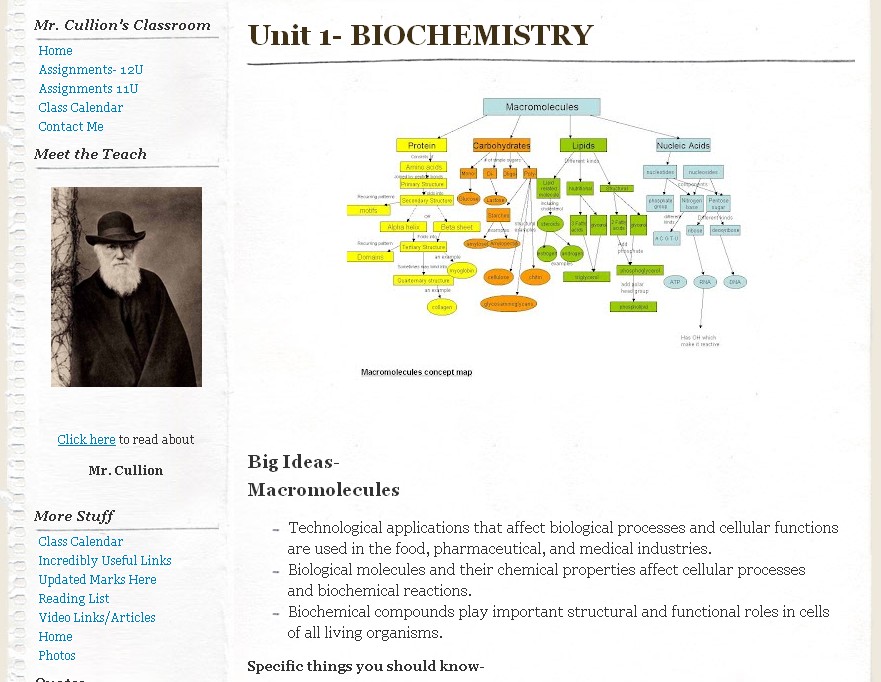
using Google sites. It is a way to help your students become more independent learners. My classroom site can be viewed at the following link: https://sites.google.com/site/catholiccentralbio/


Why did I build a classroom site?
I was tired of being the only resource my students relied on for information outside the textbook. I wanted to teach them that the Internet is a great resource for information if you can properly discriminate between useful and useless information.

When did I get started?
Getting the class site started was an adventure I began three years ago. Slowly but surely I have added to it. Whenever I find something that is applicable to the site I will add it. This has not been an overnight project. Small and steady steps have lead to building it to the point it is at now.

How do you get things started? 
I created a Google account that gives you access to all the useful tools Google has such as reader, sites, docs, and many more. You may already have a Google account under Tools2Go* or it can provided to you by the board. 
You also have the option to create a new account. 
*Please contact Joe Sisco (joe_sisco@wecdsb.on.ca) or 
Doug Sadler (doug_sadler@wecdsb.on.ca) for registration information

This is what I have done. I created the address Mr.Cullion@gmail.com
This is my work gmail account and all professional activities I engage in (RSS feeds, etc.) go through this address.

Powerpoint presentation about
 CREATING a CLASSROOM WEBSITE
How do the students access it?
I keep my site private and allow access only to students and people I have provided the link to. I have the students create a gmail account that is THIERNAMECCH@Gmail.COM. This dissuades them from any mischievous activity on the site. I have them send me their gmail address and I share the site with them in the permissions section. To date I have not had a problem with students accessing the site and using it inappropriately. It has been well received and has made a lot of students homework lives much less frustrating.

Ian Cullion is a Science teacher at Catholic Central High School
@cchbiology on twitter


TES... A Must-have Resource for All Teachers (GUEST POST)


The Largest Network of Teachers in the World
http://www.tes.co.uk/home.aspx

TES is a UK based network site for teachers. This website offers a collection of over 400 000 teaching resources that can be used in the classroom. Free sign-up is required in order to access the resources and other offered features of the site.
Resources from the following levels can be accessed:

  • pre-elementary
  • elementary
  • secondary 
  • special education (SEN: Special Education Needs)
  • whole school resources


TES also includes a forum, job postings (UK) and access to the TES magazine. 

REASONS I VISIT  

1) This website provides links to Teacher TV
(Embedded and downloadable videos that can be used to enhance lessons at the primary and secondary level)

2) Lesson plans-nearly every subject area
(Usually in the form of Word documents)

3) Power point and Smart Board lessons

4) Variety of classroom resources

5) Opportunity to network with other educators

6) iboard (new to TES)-free 30 day trial 
includes full unit plans and units of work, additional printable materials and access to premium interactive resources.

Teachers can find ENTIRE UNITS of work, TEACHING IDEAS,
and SKILL BUILDERS (online activities)

The greatest part I find about TES is that once you I have found lessons and power-point/smart board presentations that I want to use, they can easily be saved to the desktop to allow for editing to suit my needs. 

Stephanie Pellett is a teacher at Catholic Central High School, 
she is interested in health and wellness and looks forward to her next teaching opportunity! 
Good day, Mate!


Instructional Videos for New Features: Revision History

WECDSB | Revision History Updates ↑ WECDSB Revision History Updates Short ins...