 New Brightspace Monthly Newsletters
The March newsletter has been published. You can view it here: March 2021 Brightspace Newsletter
New Brightspace Monthly NewslettersThe March newsletter has been published. You can view it here: March 2021 Brightspace Newsletter
 New Features Coming to Google Meet

Google Meet has already released the mute all button. Hosts can now mute all the participants in the Meet by clicking on this button. Coming in the next few months, hosts will also be able to control when participants can un-mute themselves.


Any Google Meet that is not created through Classroom will have the ability to have multiple hosts. This will make it easier to facilitate classes.

A new feature that is slated for later this year will be for Google Meets that are generated through Google Classroom. For these Meets:

 New Features Coming to Google Classroom

 Publishing slideshows with Google Slides


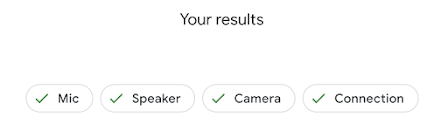
 New Features to the Google Meet Preview Window
The Google Meet preview window has had some significant changes this week. This post will take you through those changes.

This will give you three options:



Did you know that not all web programs have spell check?? This includes Markbook and Google Sites. However, you can enable spell check in your chrome browser and this will spell check anything that you type within Chrome.
Here is how to enable the Chrome Spell Check function:
1. Click on the "More Options" button in your chrome browser (3 does in the upper right corner)


With the embedded chrome spell check turned on, any text that you type into any site will be checked for errors.
The following sessions will be available for all WECDSB Eductors.
Please note that these PD opportunities are optional.


