I would like to share a couple of great appliactions of using the CLOUD.
First, the CLOUD definitely helped me out yesterday.
I am a dedicated user of DROPBOX and I had a presentation that was synced with a couple of computers. I tried to drag the contents of my DROPBOX folder to a different location and somehow this caused everything to be deleted. Needless to say, I was a bit stressed.
(*note to users - leave well enough alone and keep your DROPBOX folder where it is!)
I asked a colleague if he had any suggestions... his comment was, "You pretty much have to try really hard to delete anything permanently". How true!
I logged into DROPBOX and chose "SHOW DELETED ITEMS".
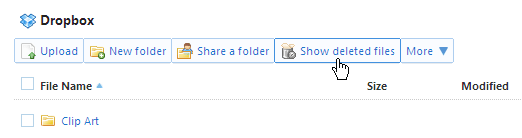
All I needed to was to undelete the items and I was back in business.
__________________________________________________________________
Another great use of DROPBOX is the ability to SHARE files. All of these sites allow users to share any of their files with any person they wish. Thanks to Ian Cullion of Catholic Central for this one.
As an example, please access an excellent educational resource, e-Learning (great sites), that we have developed for teachers. It is a collection of links to websites, with descriptions, packaged nicely with active links for all of the sites (all 8.5 by 11 pages ready to be printed and posted in your classroom).
Enjoy.


1 comment:
It was a excitement locating your site yesterday. I came here right hoping to learn something new. And I was not dissatisfied. Your well thought out ideas for new events like this. Thank you for this idea and sharing your knowledge.
Post a Comment